MasterFormat Lookup for Specifiers
Find and verify a MasterFormat section by number, title, or scope keyword in the project edition using CSI Dynamic Standards.
Quick answer
Find a MasterFormat section in CSI Dynamic Standards by choosing the edition your project uses, then searching by number, title, or scope keyword. Open a candidate to review its title, hierarchy, and available explanations before you add the reference to a project manual.
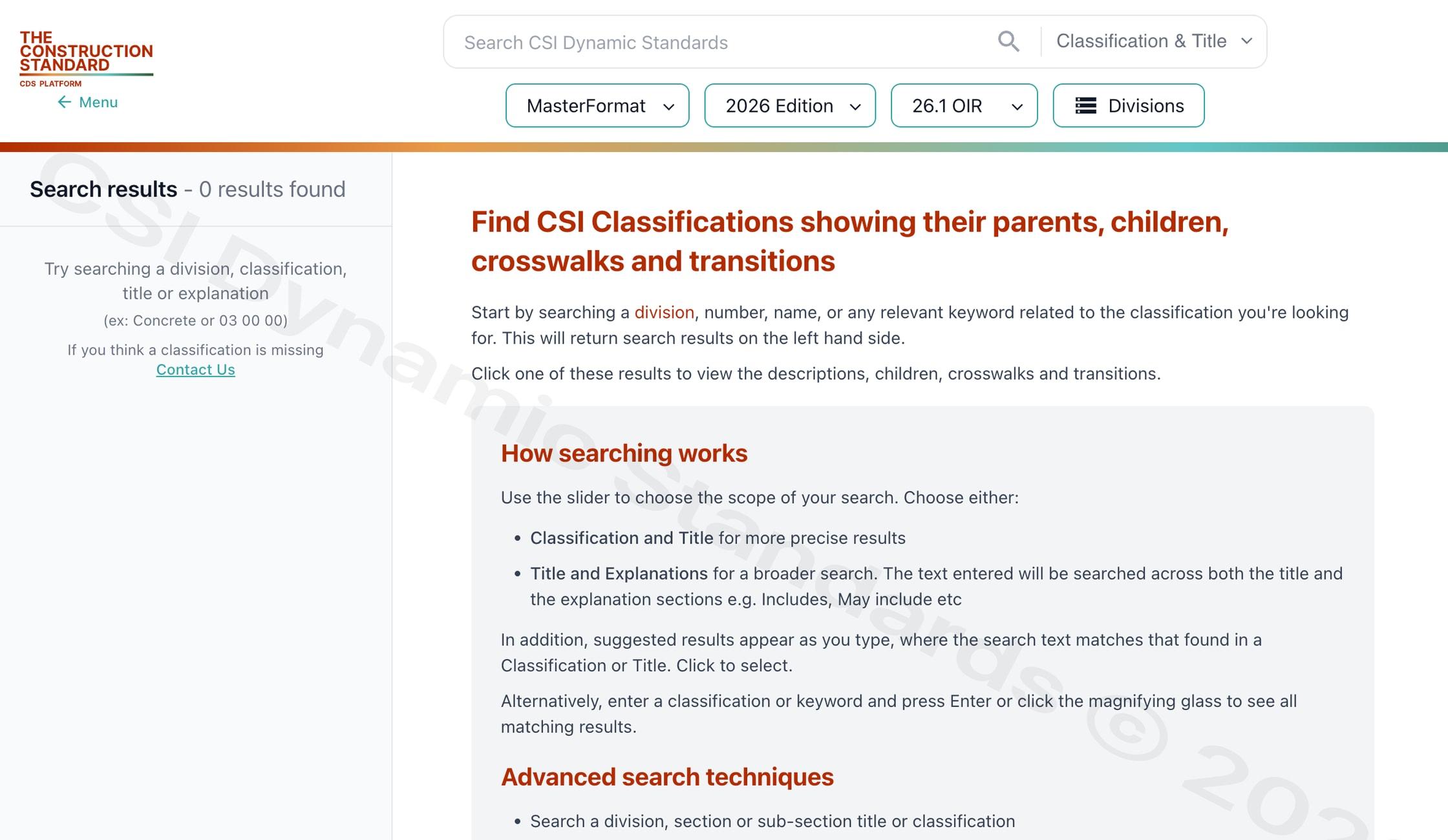
Find a section from a scope keyword
Open CSI Dynamic Standards and choose MasterFormat. Set the edition your project requires. If the workspace also offers an Operational Information Release selector, record the release separately from the edition. This matters when colleagues need to reproduce your lookup later or when an office master uses a different reference.
Start with Classification & Title when you know the number or expect the term to appear in the title. Use Title & Explanations if your scope uses different words from the standard. Type a keyword and press Enter to see the full results list. A suggested result can take you straight to one record, but the list is more useful when you need to compare candidates.
Example: air-handling equipment
In MasterFormat 2026, a search for “air handling” using Classification & Title returns a schedule and several equipment classifications. The results distinguish indoor from outdoor equipment and include more specific indoor categories. Start with the equipment described in your scope. If the project calls for an indoor unit, check the indoor results before considering an outdoor packaged unit. An equipment schedule can still be relevant to the project, even though it serves a different purpose from the equipment specification.
Open a candidate and compare its title and its available parent and child classifications. If the title alone leaves a question, look for explanatory information and compare it with the equipment description and scope in your project documents. Some records have more detail than others.
Check the interfaces before issuing the specification
A unit may be furnished with controls while another party connects it to the building automation system. Look up the equipment and integration scopes separately. Confirm where the project manual assigns each responsibility, including installation, testing, and commissioning. Record related sections in the office review so a bid package does not omit work at the boundary between two sections.
When the project already has a manual, compare the approved classification with its table of contents and the section that actually governs the work. MasterFormat organizes the information. The project’s specification text establishes the project requirements.
Record the result and handle older references
Keep the verified number, exact title, edition, and source with the draft. If a reference from an older project does not appear in the selected edition, check the original edition and use an available transition to investigate the change. Review any proposed replacement against the current scope before changing a section reference.
When an office master and a project manual disagree, identify which one supplied each number before making a change. Check whether the project already uses the section elsewhere, and review references in schedules and related specifications. A change to one section can affect cross-references even when the technical scope stays the same.
Open CSI Dynamic Standards to use the search controls shown above. If you are starting from a generated suggestion, use the AI-assisted MasterFormat lookup to decide what to verify before using it.
Access Current CSI Standards
CSI Dynamic Standards provides authorized access to MasterFormat, UniFormat, and OmniClass through a connected, edition-aware platform. Create an account to view access options, or review pricing for organization-wide standards use.
Sources and review scope
Reviewed against CSI’s public standards information for scope, terminology, and licensing context. This public guide provides orientation and does not reproduce or replace the licensed standard. Content review date: November 10, 2026.
People also search for
Explore closely related CSI divisions, standards, and construction classification topics.
Access MasterFormat®, UniFormat®,
and OmniClass®

123 N Pitt St. Suite 450
Alexandria, VA 22314info@theconstructionstandard.com